01
Prevent scheduling conflicts
Check faculty, room, and section availability while schedules are built—not after they reach students.
Built for universities in the Philippines
Build conflict-free schedules, manage classes, track academic records, and keep your campus operations connected in one platform.
Set up your campus and explore CoursePilot free for seven days. No payment is required today.
Live deployment snapshot
CoursePilot manages real academic scheduling data across active campus operations.
Davao Oriental State University
2 active campuses
Operational result: centralized conflict checks and one published Public Schedule. Quantified time savings are pending an approved campus study.
Product demonstration
Watch how CoursePilot supports campus scheduling and helps teams build conflict-free course schedules.
Core value
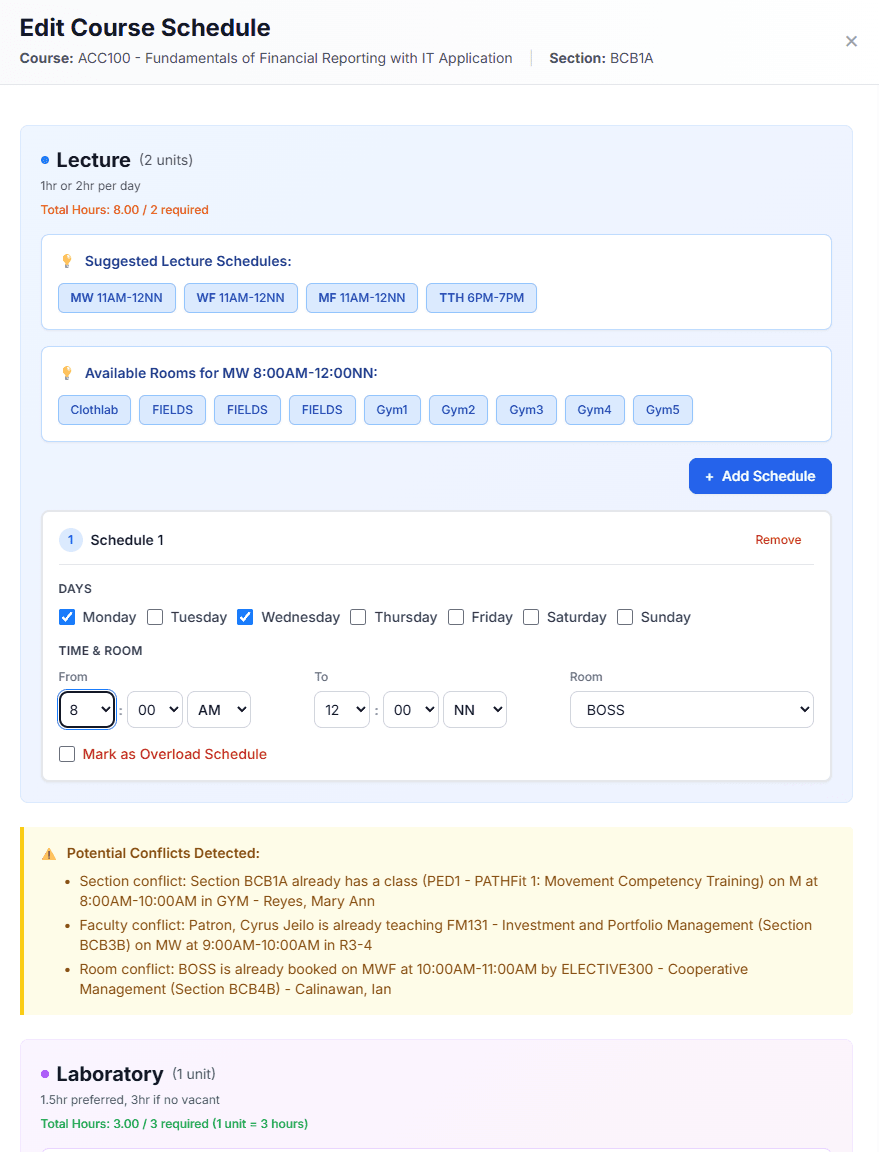
Check faculty, room, and section availability while schedules are built—not after they reach students.
Give students a searchable Public Schedule with the current course, section, day, time, and room.
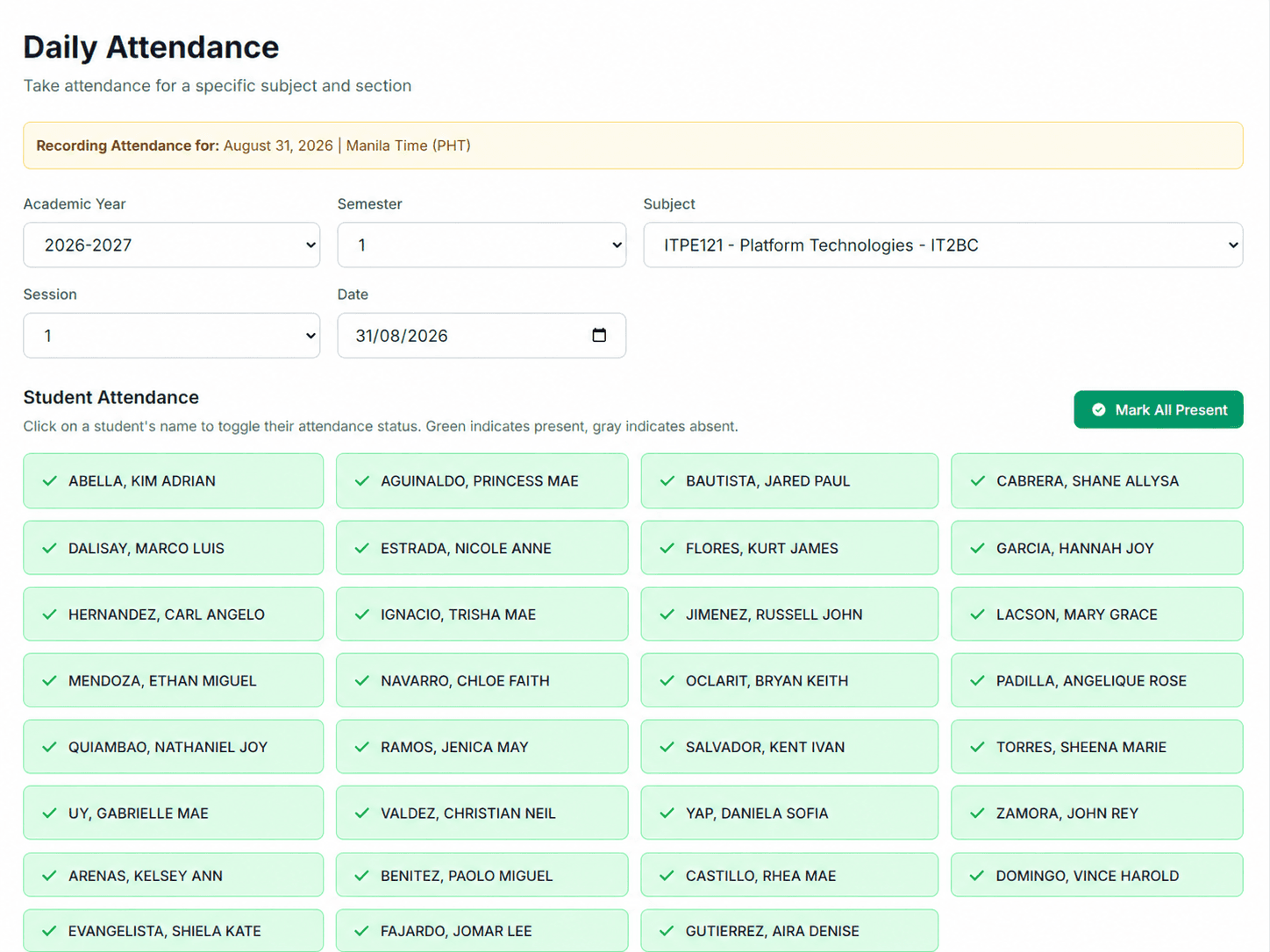
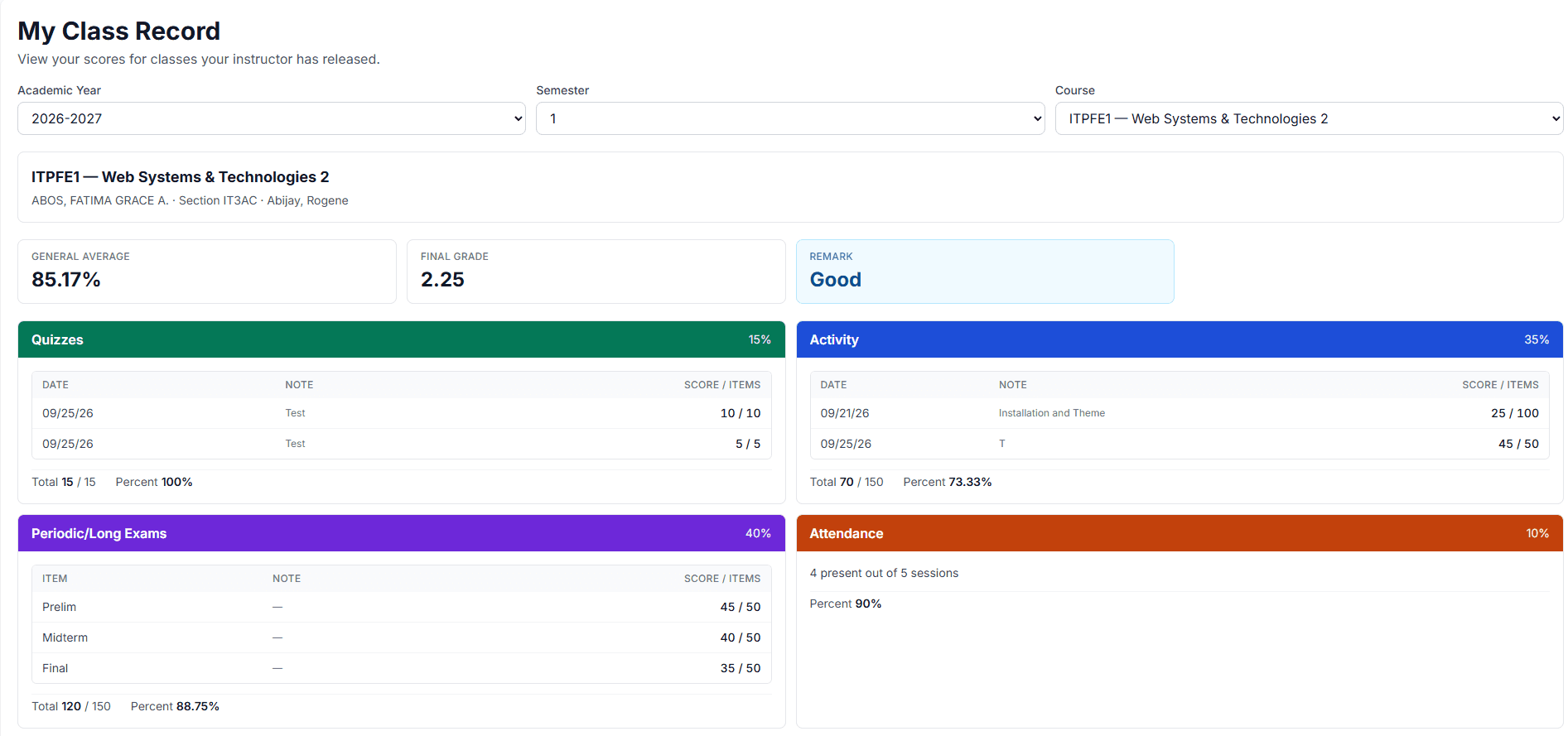
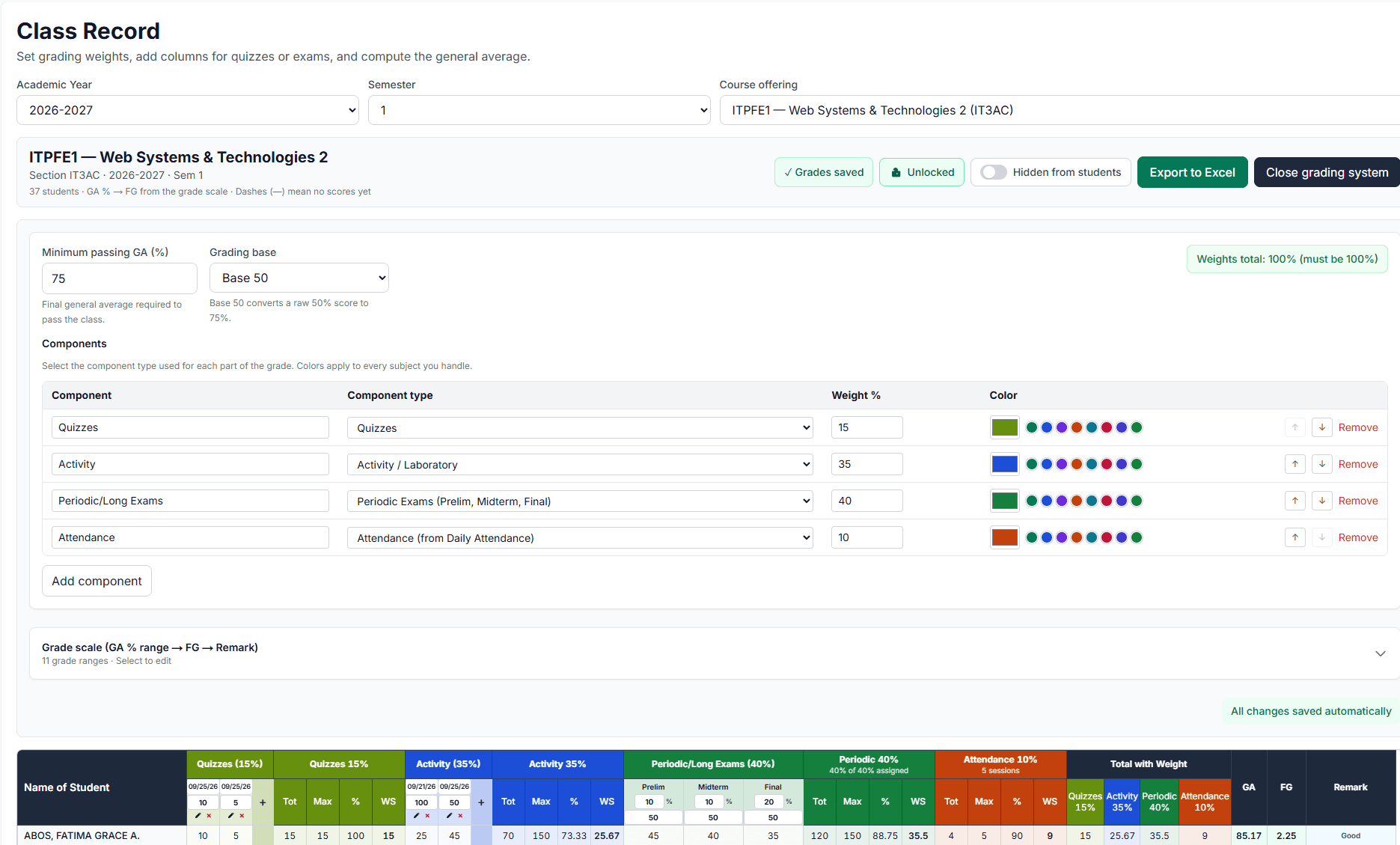
Track daily attendance, configure grading components and weights, compute grades, and keep faculty workload connected to the published course schedule.
One connected workflow
 View larger
Why CoursePilot?
Features
Available on Campus and University plans
Tell CoursePilot your scheduling rules in plain language. AI translates them into constraints, while the scheduling engine generates and validates the timetable. Your administrators review the result, make adjustments, and always have the final say before publication.
View all CoursePilot features →Bring in offerings and academic data from DOCX or Excel.
Set faculty, rooms, sections, and scheduling rules.
Generate a draft timetable, review validation results, and adjust it before publication.
Publish the Public Schedule, then manage attendance, grades, and workload.
Public Schedule
Students can browse the latest published schedule without signing in, then filter it by campus, program, section, or day to find current subjects, times, rooms, and instructors.
Browse the Latest Schedule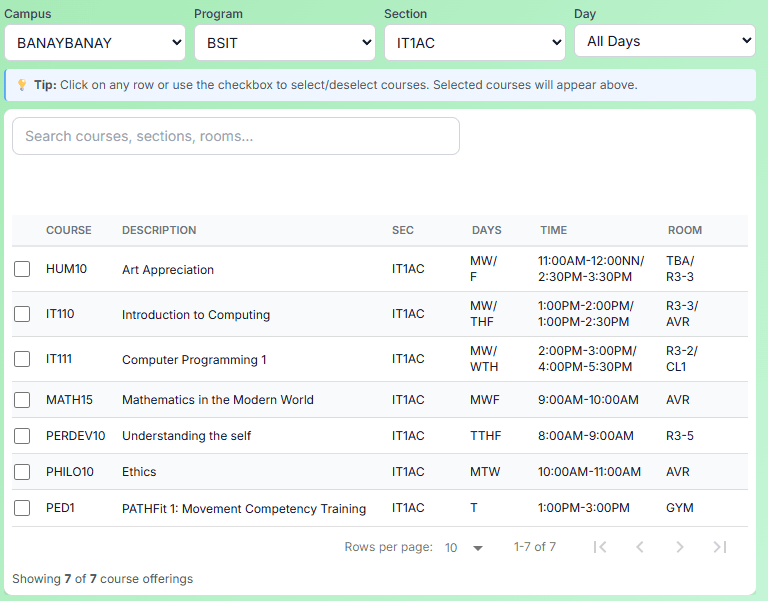
Irregular Student Planner
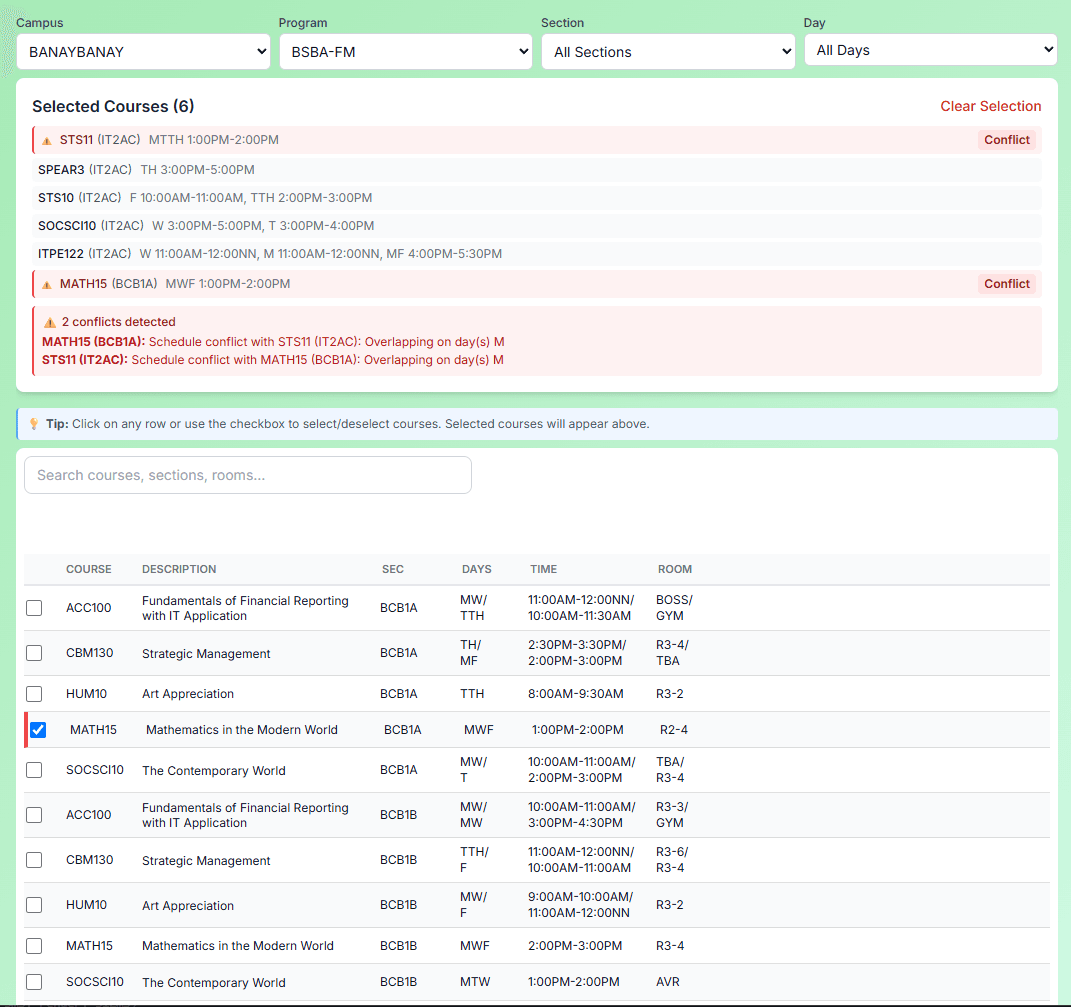
Students and advisers can combine prospective subjects from different sections and immediately see overlapping days and times—before registration decisions become harder to change.
Use sample data—no account required.
Customer & pilot feedback
Real feedback from campuses using or evaluating CoursePilot — published only after review and approval.
Showing testimonial page 1 of 2
As an irregular student, finding a schedule that fits my available time can be really challenging. But with CoursePilot, the process of manually looking for the right schedule became much easier. In short, it made my college life a lot easier!
Erickson J. Adal
BSIT Student · Davao Oriental State University · Banaybanay
Student feedbackCoursePilot helped me be more organized when it comes to scheduling and viewing the subjects that I have enrolled, it made the experience more seamless and stress free
Joshua Restor
BSIT Student · Davao Oriental State University · Banaybanay
Student feedbackShare your experience and help other campuses learn how CoursePilot works in practice.
Start with a seven-day free trial. No payment information is required. After the trial, select a per-academic-term plan and pay manually through GCash or bank transfer. There are no automatic charges or renewals.
For individual academic departments
₱4,990 per academic term
Best Value
For complete campus academic operations
₱9,990 per academic term
For institutions operating multiple campuses
Starts at ₱19,990 per academic term
One academic term covers one semester or trimester, up to six months. No automatic renewal or hidden charges.
Yes. CoursePilot is a production-ready platform for Philippine campuses — already used in live academic operations at DOrSU — covering schedules, faculty, students, attendance, and class records.
Start with a seven-day free trial. No payment information is required. After the trial, select a per-academic-term plan and pay manually through GCash or bank transfer. There are no automatic charges or renewals.
Campus and University plans support DOCX and Excel imports. Department uses manual setup.
Yes. After signing in, students see their enrolled schedule and released class records. They can also open the campus public timetable without logging in — filter by campus and program, search a course like IT111, and see section, days, time, and room in one table.
Yes. On the public schedule, students and advisers can select prospective offerings and check for schedule conflicts before enrolling — useful for irregular students and advising conversations.
Yes. Instructors can mark daily attendance by class and review attendance records.
Yes — including room and faculty conflicts — before you publish the timetable.
Yes. Admins can export course offerings, and CoursePilot supports team-teaching subjects with shared lecture and lab faculty assignments.
No. On Campus and University plans, AI interprets your scheduling constraints in plain language. A separate scheduling engine then builds the draft timetable and validates it against hard constraints (such as room and faculty conflicts). Administrators always review and can adjust before publishing.
Yes. The University plan supports multiple campuses under one institution. The base subscription includes one campus, with additional campuses available at ₱4,990 per campus per academic term.
The Campus plan includes guided setup. University includes dedicated onboarding and training for campus admins and faculty workload coordinators.
Your institution owns the data it entered. After cancellation or non-payment, access may move to read-only, then a wind-down window so you can export records. After the agreed retention period, subscriber data is returned or deleted, subject to legal holds.
Start with your own campus workspace, or request a guided demonstration for your scheduling team.